

Suggested Tasks
Jules can autonomously scan your codebase to identify areas for improvement and propose implementation plans. These are presented as Suggested Tasks.
Currently, this experimental feature focuses on identifying and resolving #TODO comments left in your code, with more capabilities coming soon.
Enabling Suggested Tasks
Section titled “Enabling Suggested Tasks”To receive suggestions, you must explicitly enable “Proactivity” for each repository you want Jules to monitor.
- Navigate to the Codebases field in the left panel.
- Select the specific repository (codebase) you wish to activate.
- With the codebase selected, open the Proactivity tab in the left panel.
- Toggle Proactivity to On.
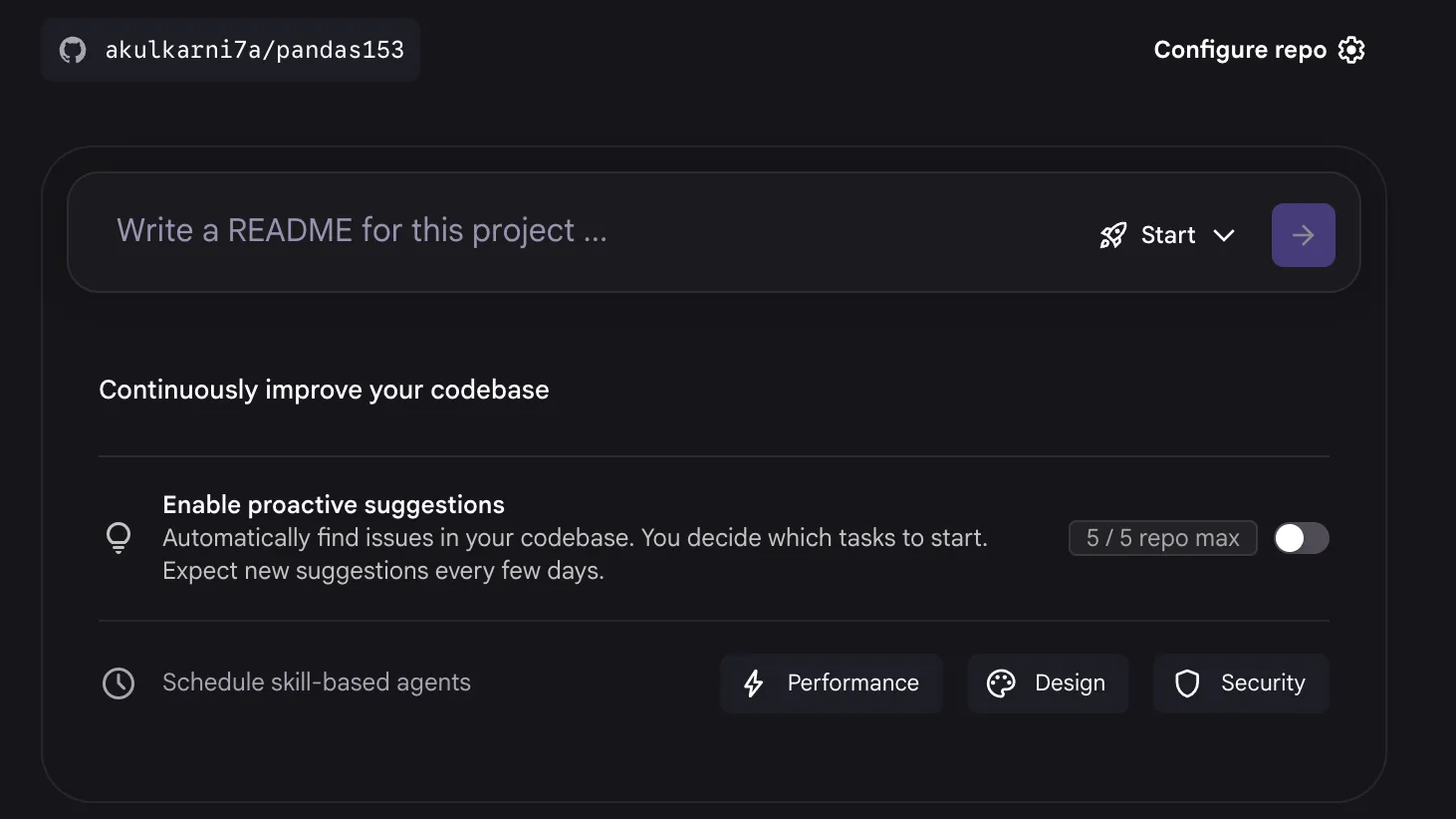
Once enabled, Jules will immediately begin scanning the codebase. After a few minutes, if a resolvable issue is found, a suggestion will appear for your review.
Note: At launch, you are only able to enable proactivity on up to 5 repositories.
Reviewing and Running Suggestions
Section titled “Reviewing and Running Suggestions”When Jules identifies a potential task (such as a simple #TODO), it will surface a suggested fix. You will also recieve an email periodically when new tasks have been found.
- Review the suggestion card that appears in your dashboard.
- Click on the suggestion to see the context and the rationale.
- If you agree with the plan, click Start to have Jules start working on the task.
Feedback and Dismissal
Section titled “Feedback and Dismissal”You remain in control of your backlog. If a suggestion is not relevant or not a priority, you can dismiss a suggestion. Jules uses this feedback to better understand your preferences and improve future suggestions.
Configuration & Limits
Section titled “Configuration & Limits”- Scan Frequency: Jules scans your repositories periodically to look for new suggestions.
- Repository Limit: You can currently enable Suggested Tasks on up to five repositories.
- Current Scope: The feature currently looks for #TODO comments that describe resolvable tasks.